A calm pause before the apps that pull you in.
Open one anyway and a small knot ties in your head. Breathe for a minute, or put the phone down, and it comes undone.
Coming soon toGoogle PlayFree, for Android. No account, no ads.
How a knot ties, and how it comes undone
-
You reach for an app
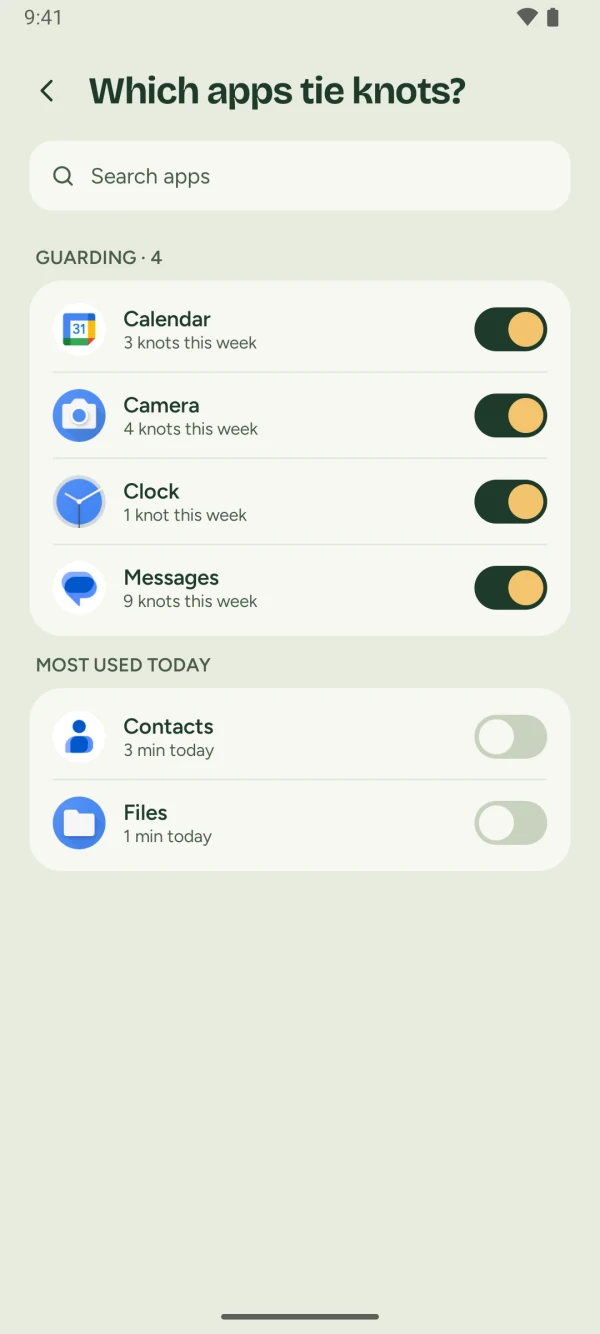
Out of habit, your thumb finds one of the apps that pull you in. You picked them yourself in Knotless, and only those get a pause.
-
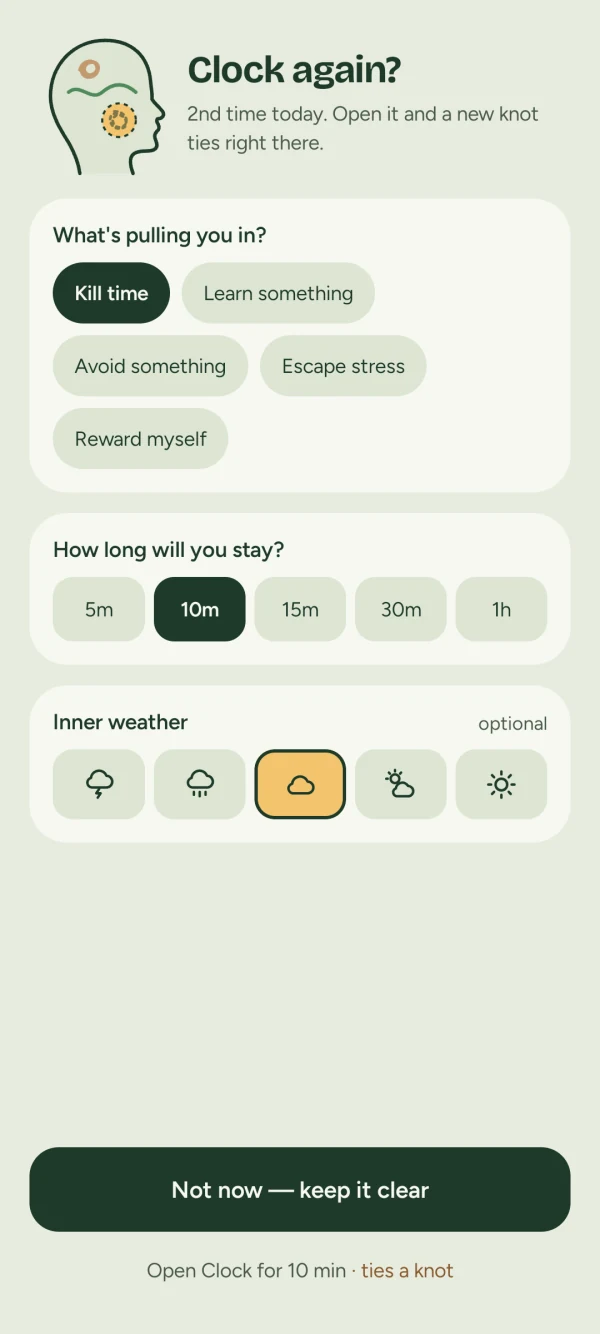
A calm pause asks why
Before the app opens: what is pulling you in, and how long do you want to stay? Note your inner weather if you like. Then it is your call. Not now keeps your mind clear.
-
Go in anyway, and a knot ties
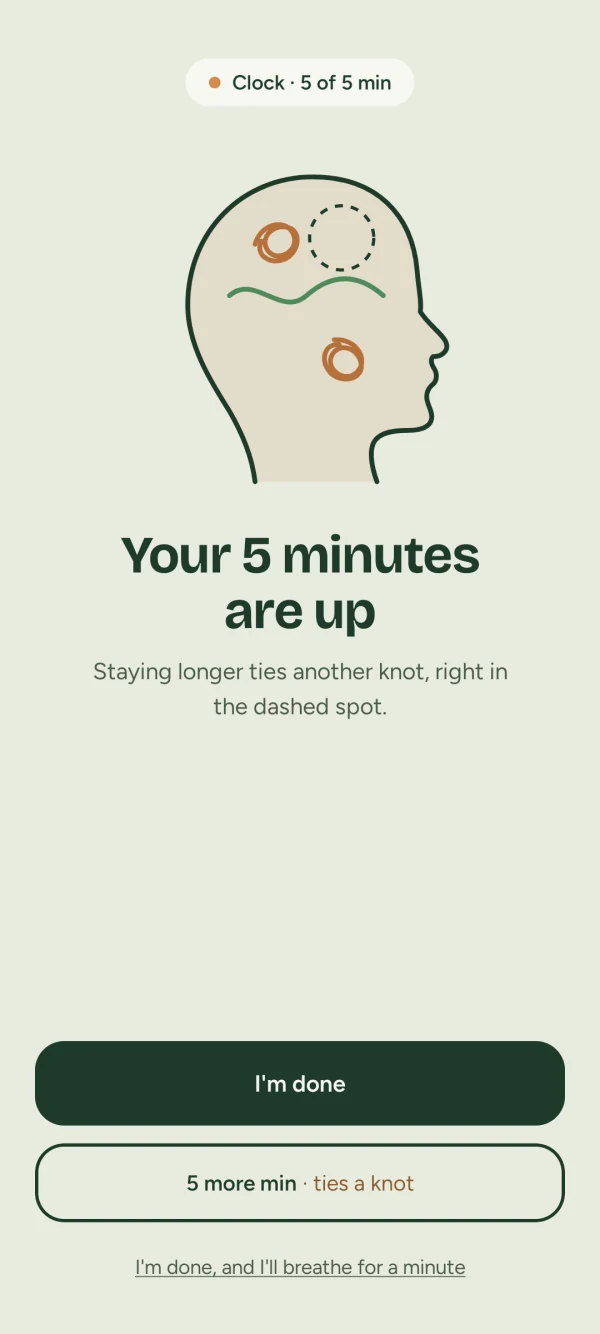
Open the app and a small knot ties in your head. When your time is up, a quiet screen asks if you are done. Five more minutes ties another, right in the dashed spot.
-
Breathe to untie it
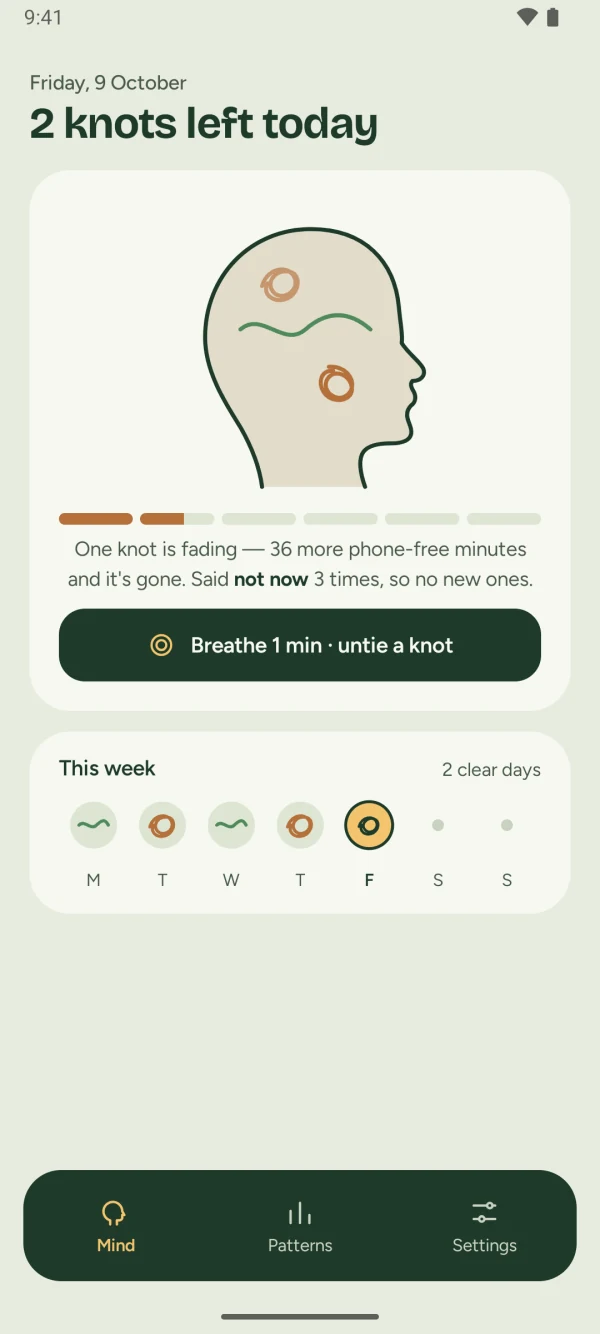
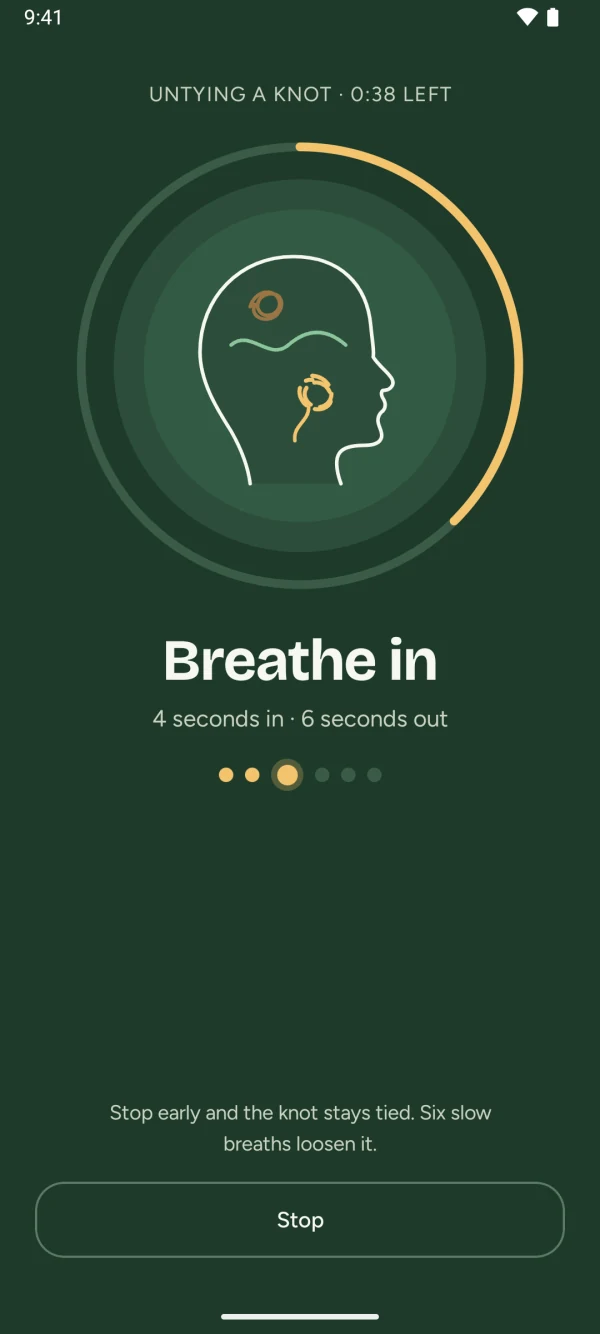
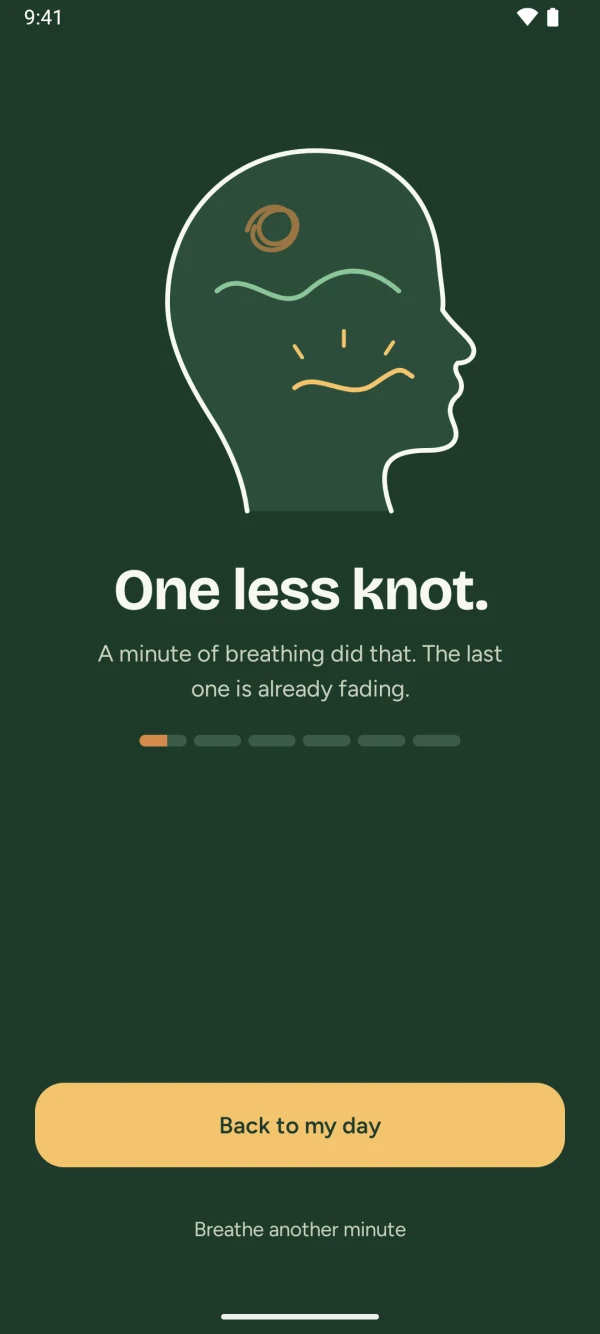
Six slow breaths, four seconds in and six out, untie one knot. Or put the phone down: an hour of phone-free time fades the newest knot on its own.
-
Your week fills with clear days
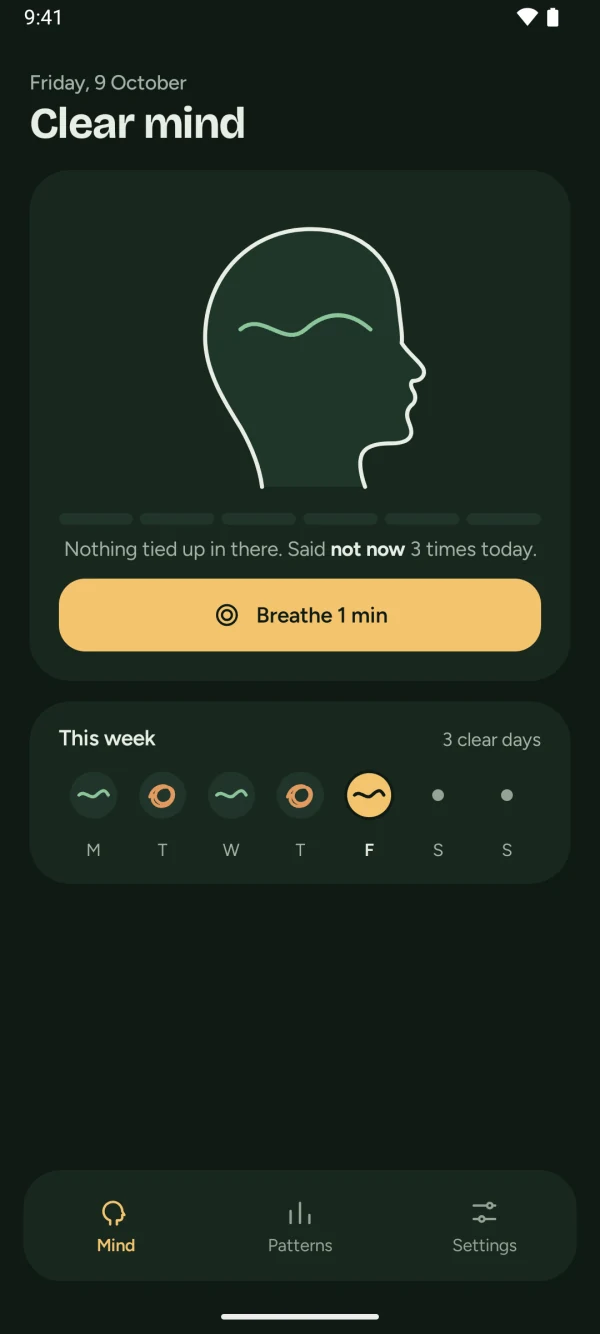
A day that ends with no knots is a clear day, and the week strip shows each one. Every morning starts fresh, so there is nothing to make up for.
A pause, not a block
Knotless never locks you out. It slows the moment down long enough for you to choose, then shows you how your day is going.
-
You always decide
Nothing is locked. Not now and Open are each one tap away, every time.
-
No streaks to break
Each morning starts clear. A heavy day costs you nothing tomorrow.
-
No scolding
A knot is a picture of how your day feels, not a score or a punishment.
-
Calm from start to finish
Soft colours, slow breaths, no alarms. Even time's up is a quiet screen, not a buzz.
See what pulls you in
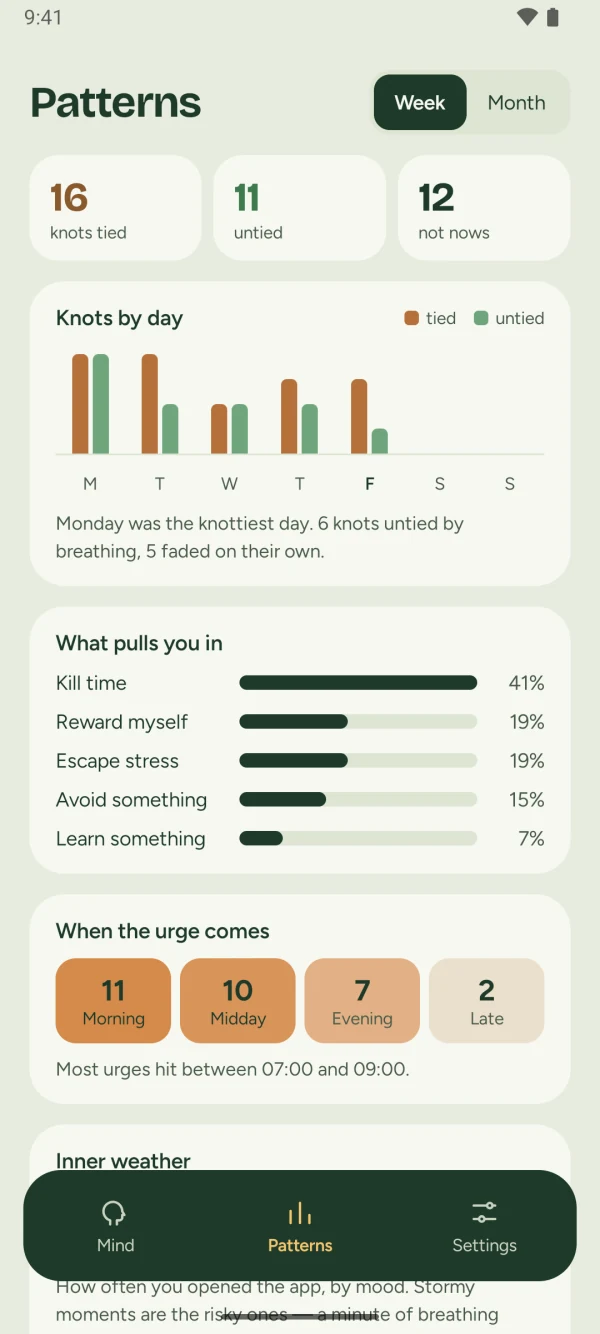
Patterns shows the knots you tied and untied, how often you said not now, when the urge comes, and your inner weather across the week or month. Most of all, it shows why you reached for your phone.
- Kill time
- Avoid something
- Escape stress
- Reward myself
- Learn something
No account. Nothing leaves your phone.
Knotless has no internet permission, so it cannot send your data anywhere, and we never see it. No ads, no analytics, no tracking. Your knots live in a small database on your phone and are gone when you uninstall.
- Internet
- Not requested
- Accessibility
- To notice which app opens, so the pause can appear. It does not read your screen or what you type.
- Usage access
- Optional. Puts your most used apps first in the list.
- Notifications
- Only to tell you if Android stops the pause.
- Start at boot
- Keeps the pause working after a restart.
Questions
Is Knotless free?
Yes. There is no account to make and there are no ads.
Does it block apps?
No. It is a pause, not a block. You can always open the app; doing so ties a knot, and you can untie it later.
Does it read my screen?
No. Knotless only notices which app came to the front, so it can show the pause before the apps you chose. It never sees what is on your screen, what you type, or anything inside other apps.
Why does it need Accessibility?
On Android, the Accessibility service is the reliable way for an app to notice which app just opened. Knotless uses it for that, to briefly mute media while a pause is on screen, and to take you home when you choose not now. It stays off until you turn it on, and you can turn it off at any time. Knotless is not an accessibility tool.
Is there an iPhone version?
No. Knotless is for Android only.
How long does setup take?
About two minutes. A short guided setup shows you exactly where to tap, then you pick the apps that get a pause.
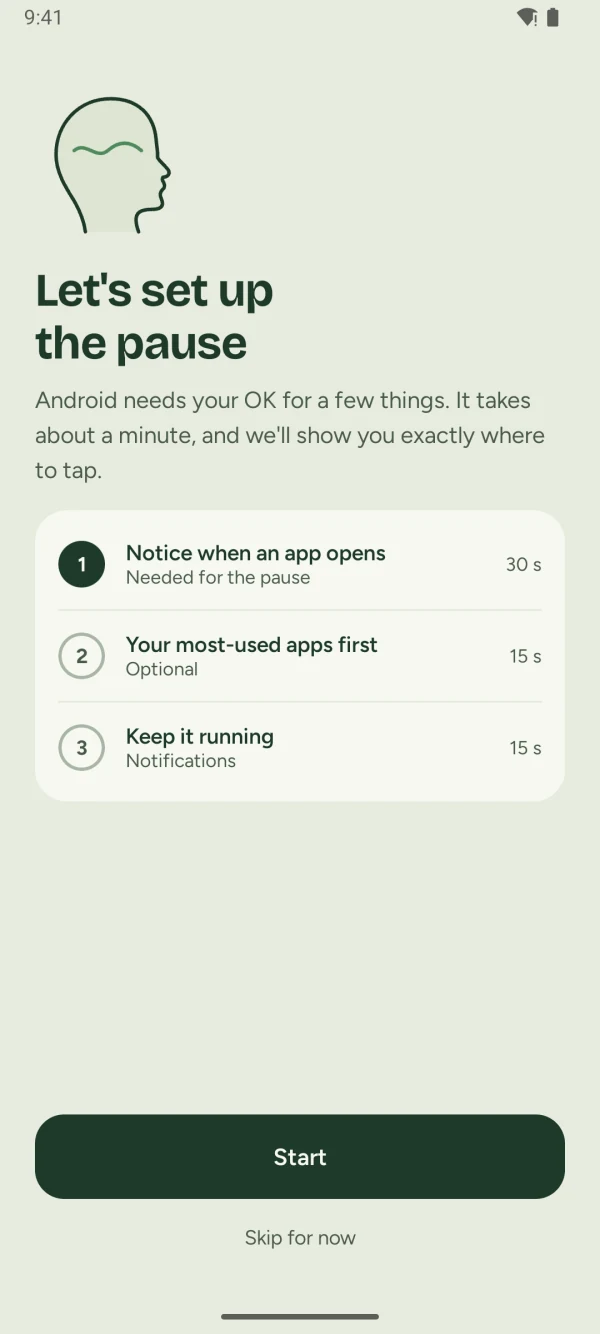
Set up in two minutesThree short steps, and the app shows you where to tap.
Start tomorrow with a clear mind
Knotless is coming soon to Google Play, free for Android.
Coming soon toGoogle Play